

Quality Score Optimization: How to Pay Less Per Click on Google Ads
Quality Score optimization is how smart advertisers pay less per click than their competitors for the same ad positions. If you’re running Google Ads and haven’t looked at your Quality Scores, you’re probably overpaying for every single click — sometimes 2-3x more than you should be. That’s not a marginal difference. On a $2,000/month ad budget, the difference between a Quality Score of 3 and a Quality Score of 8 can mean $600-$800/month in wasted spend.
I’m Google Ads Certified and I’ve managed PPC campaigns for over a decade. Quality Score is the single most underappreciated factor in Google Ads efficiency. Most small businesses don’t even know it exists, let alone how to improve it. Let me change that.
From the auditor: Dennis Ocasio has delivered digital marketing for 200+ small businesses across Central Florida over 30+ years. Every recommendation here comes from tested, real-world client work — not theory.
What Is Quality Score and Why Should You Care?
Quality Score is Google’s rating (1-10) of how relevant and useful your ad experience is for people searching your keywords. It’s measured at the keyword level — each keyword in your account has its own Quality Score. And it directly affects two things that determine whether your Google Ads make money or lose it:
1. Your cost per click (CPC). Higher Quality Score = lower CPC. Google rewards relevant ads with discounts. A Quality Score of 8 might get you $5 clicks while a Quality Score of 3 gets you $12 clicks — for the exact same keyword in the exact same position. Same search result. Same ad position. 2.4x different price.
2. Your ad position. Google uses Quality Score combined with your bid to determine where your ad appears. The formula is: Ad Rank = Max Bid × Quality Score. If your bid is $5 and your Quality Score is 8, your Ad Rank is 40. If your competitor bids $8 but their Quality Score is 4, their Ad Rank is 32. You win the higher position AND pay less per click. That’s the power of Quality Score — it lets you beat competitors who outspend you.
How Quality Score Affects Your Budget (Real Numbers)
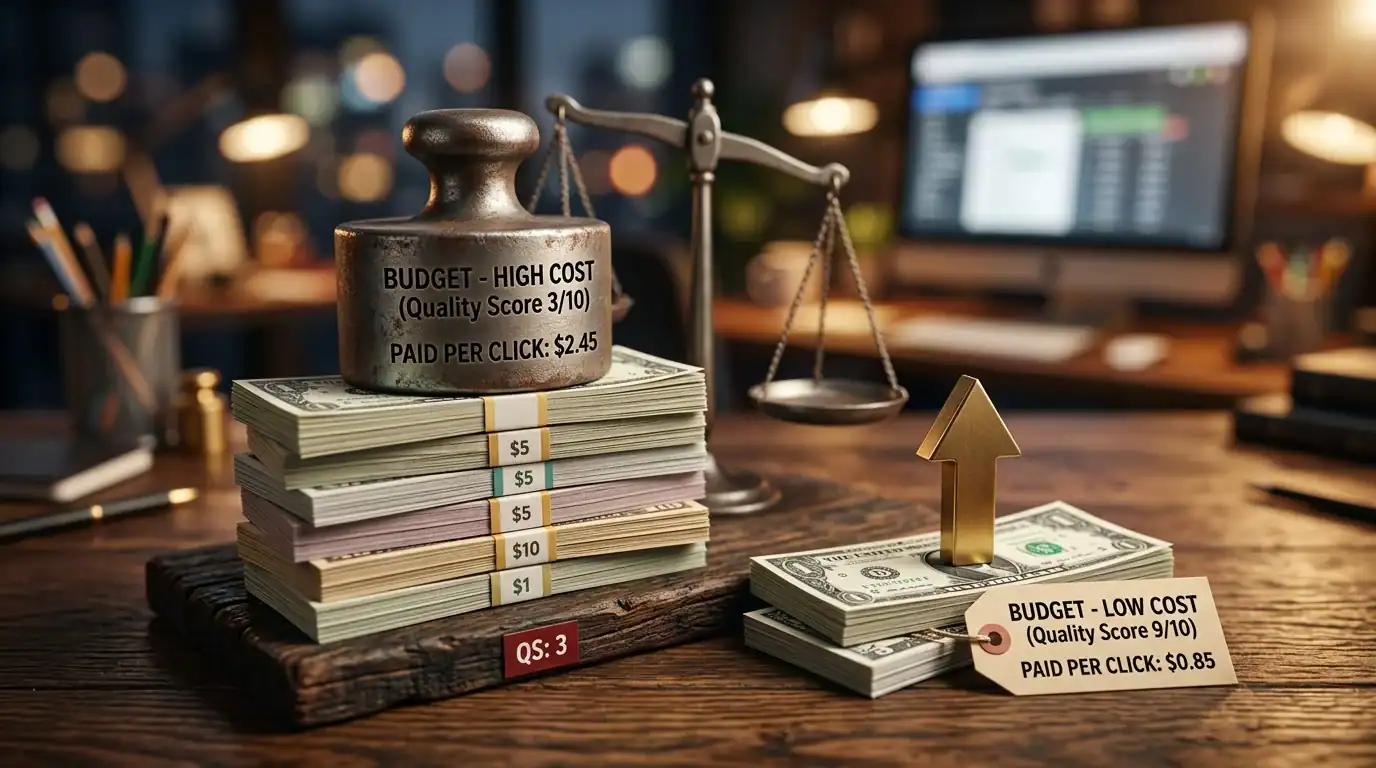
Google has published approximate CPC adjustments based on Quality Score. Here’s what it means in real dollars:
| Quality Score | CPC Adjustment | If Baseline CPC is $5 | Monthly Clicks ($2,000 budget) |
|---|---|---|---|
| 10 | -50% | $2.50 | 800 |
| 8 | -25% | $3.75 | 533 |
| 7 | Baseline (0%) | $5.00 | 400 |
| 5 | +25% | $6.25 | 320 |
| 3 | +67% | $8.35 | 240 |
| 1 | +400% | $25.00 | 80 |
Look at the difference between Quality Score 10 and Quality Score 3: 800 clicks versus 240 clicks on the same $2,000 budget. That’s 3.3x more traffic without spending a single additional dollar. If your conversion rate is 5%, that’s 40 leads versus 12 leads. Same budget. Same keywords. Just better Quality Scores.
The Three Components of Quality Score
Quality Score is calculated from three factors, each rated as “Below Average,” “Average,” or “Above Average”:
1. Expected Click-Through Rate (CTR)
How likely are people to click your ad compared to other ads shown for the same keyword? Google predicts this based on your ad’s historical performance. Ads that get clicked more often are rewarded with higher scores because clicks signal relevance.
How to improve Expected CTR:
- Include your target keyword in Headline 1 (the most prominent position). If someone searches “emergency plumber Orlando,” your headline should say “Emergency Plumber Orlando” — not “Professional Plumbing Services”
- Use ad extensions — sitelinks, callouts, structured snippets, call extensions, location extensions. Extensions make your ad physically larger on the page, increasing visibility and clicks
- Write compelling, specific ad copy. “24/7 Emergency Service | 60-Min Response | Licensed & Insured” beats “Quality Plumbing at Great Prices”
- Include numbers and specifics: “Starting at $99,” “30 Years Experience,” “4.9★ Rated,” “Available 24/7.” Specific claims outperform vague promises
- Test multiple ad variations. Create 3-4 ads per ad group and let Google show the best performers. Keep high-CTR winners, pause low performers, and keep testing new variations monthly
2. Ad Relevance
How closely does your ad copy match the search intent? If someone searches “emergency plumber Orlando” and your ad talks about “kitchen remodeling services,” that’s low relevance — even if your company does both. Google wants to show ads that match what people are looking for.
How to improve Ad Relevance:
- Organize campaigns into tightly themed ad groups. Group related keywords together — all emergency plumbing keywords in one ad group, all kitchen remodeling keywords in another. No more than 10-20 closely related keywords per ad group
- Include the target keyword in your ad headline (ideally Headline 1) and in your description. This creates obvious relevance between the search term and your ad
- Write specific ads for specific keyword groups. Don’t use one generic ad for your entire campaign. A search for “drain cleaning” should see an ad about drain cleaning, not a generic “plumbing services” ad
- Use Dynamic Keyword Insertion (DKI) carefully — it automatically inserts the searched keyword into your ad headline. Powerful for relevance but can create awkward or too-long headlines if not configured properly
3. Landing Page Experience
How relevant, useful, and user-friendly is the page someone lands on after clicking your ad? This is where most small businesses fail because they send all ad traffic to their homepage instead of creating dedicated landing pages.
How to improve Landing Page Experience:
- Create dedicated landing pages for each ad group that match the ad’s message. If your ad says “Emergency Plumbing — Call 24/7,” your landing page headline should say “Emergency Plumbing — Available 24/7”
- Include the target keyword on your landing page — in the headline, in the body text, in the page title
- Page speed matters enormously. Load your landing page in under 3 seconds. Google explicitly factors page speed into landing page experience. See our speed optimization guide
- Mobile-friendly design is mandatory. 60%+ of ad clicks come from phones. If your landing page is broken on mobile, your Quality Score tanks. See our mobile-first design guide
- Clear, prominent CTA — phone number (click-to-call on mobile), contact form, or booking button visible without scrolling
- Relevant content that delivers on the ad’s promise. If the ad promises “Free Quote,” the landing page better have a quote form immediately visible
- Trust signals: reviews, ratings, certifications, secure checkout badges, BBB logo. These improve both Quality Score and conversion rate
Step-by-Step Quality Score Improvement Plan
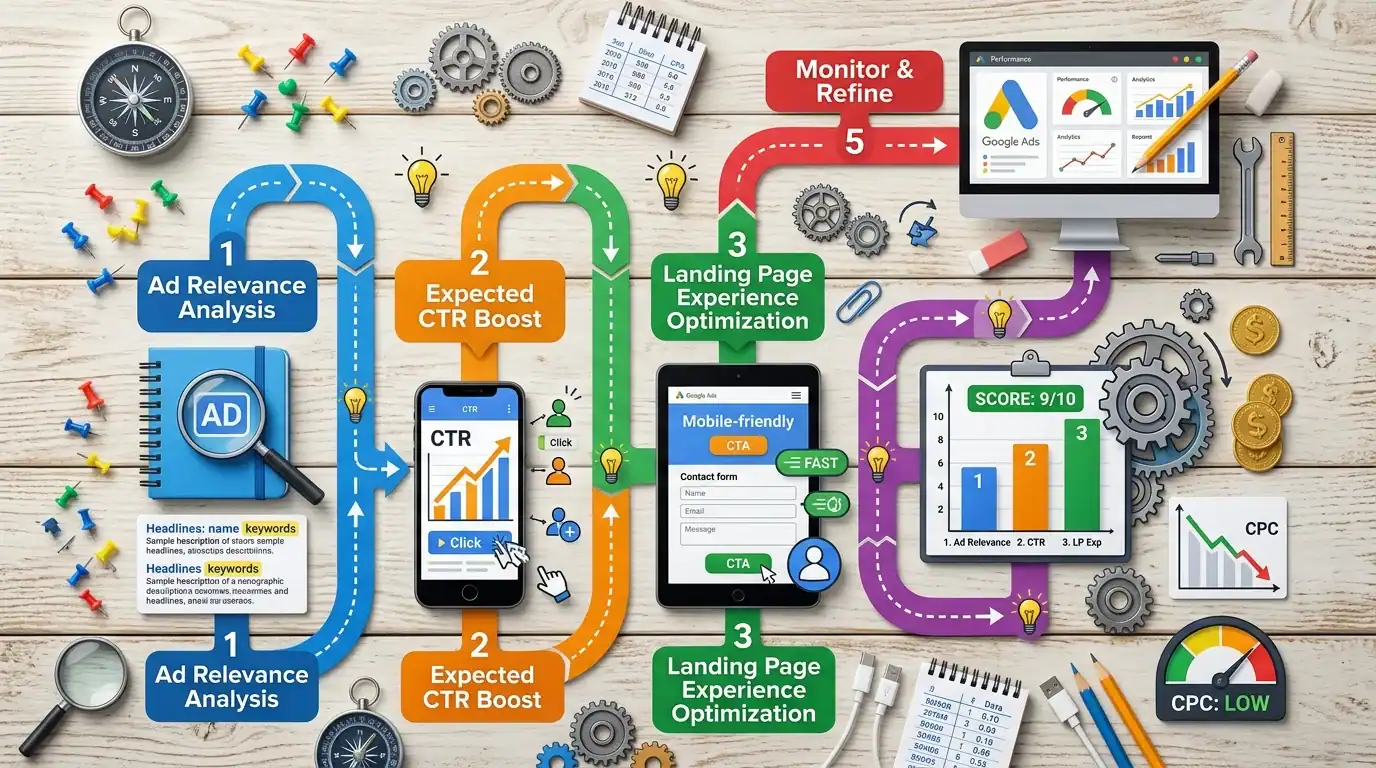
Here’s the exact process I follow when optimizing Quality Scores for our Google Ads management clients:
Week 1: Audit Current Quality Scores
In Google Ads, go to the Keywords tab. Click “Columns” → “Modify columns” → under “Quality Score,” add: Quality Score, Expected CTR, Ad Relevance, and Landing Page Experience. Sort by Quality Score ascending. Identify every keyword scoring below 6 — these are your priorities.
For each low-scoring keyword, note which component is “Below Average.” That tells you exactly what needs fixing: low Expected CTR? Your ad copy needs work. Low Ad Relevance? Your ad groups are too broad. Low Landing Page Experience? Your landing pages need improvement.
Week 2: Restructure Ad Groups
The most common cause of low Ad Relevance: ad groups with too many loosely related keywords sharing the same ad copy. Split broad ad groups into tighter, more specific groups. Example: don’t put “plumbing repair,” “drain cleaning,” “water heater installation,” and “emergency plumber” all in one ad group. Create separate ad groups for each service with dedicated ad copy for each.
Week 3: Rewrite Ad Copy
For each ad group, write 3-4 ad variations with the primary keyword in Headline 1. Include specific benefits, numbers, and strong CTAs. Add all available ad extensions: sitelinks (link to specific service pages), callout extensions (free estimates, 24/7 service, licensed & insured), call extension (your phone number), and location extension (your address).
Week 4: Build or Optimize Landing Pages
Create dedicated landing pages for each ad group. Match the headline to the ad copy. Include the target keyword. Speed up load time (under 3 seconds). Mobile-optimize everything. Add a clear CTA above the fold. Add trust signals near the CTA.
Ongoing: Monitor and Optimize
Check Quality Scores monthly. It can take 1-4 weeks for changes to reflect in your scores. Continuously test new ad copy, improve landing pages, and refine keyword groupings. Quality Score optimization isn’t a one-time project — it’s ongoing maintenance that keeps your costs low and your performance high.
Common Quality Score Myths
- “Quality Score doesn’t matter with Smart Bidding” — False. Smart Bidding strategies (Target CPA, Maximize Conversions) still use Quality Score in their calculations. Higher QS gives Smart Bidding more room to optimize within your budget constraints
- “Higher bids fix low Quality Score” — False. Higher bids can temporarily get you higher positions, but they don’t fix the relevance issues causing low QS. You’re just overpaying for bad performance. Fix the underlying issues instead
- “Quality Score updates instantly” — False. Changes to ads and landing pages can take days to weeks to reflect in Quality Score. Google needs time to collect new performance data. Be patient after making improvements — don’t make another change the next day thinking the first one didn’t work
- “I need Quality Score 10 on everything” — Unrealistic and unnecessary. Aim for 7+ on your highest-value keywords. 5-6 is acceptable for less critical or long-tail keywords. Below 4 needs immediate attention because you’re significantly overpaying
- “Quality Score is the only thing that matters” — No. Quality Score affects cost and position, but conversion rate, landing page quality, and your sales process determine actual ROI. A high Quality Score with a terrible landing page still produces no leads
Real Client Quality Score Improvement

A recent client came to us with an average Quality Score of 4 across their Google Ads account. They were spending $2,500/month and getting about 180 clicks at an average CPC of $13.89. Their cost per lead was over $250.
Over 6 weeks, we: reorganized their 3 bloated ad groups into 12 tightly themed groups, rewrote all ad copy with proper keyword inclusion in headlines, built dedicated landing pages for their 4 core services, added all available extensions, and implemented a negative keyword strategy to eliminate irrelevant clicks.
Results: Average Quality Score improved from 4 to 7.2. Average CPC dropped from $13.89 to $7.50. Same $2,500/month budget now generates 333 clicks instead of 180 — an 85% increase in traffic without spending an additional dollar. Their cost per lead dropped from $250 to $125. We didn’t change their budget. We just made every dollar work harder.
How to Check Your Quality Score Right Now
- Log into Google Ads (ads.google.com)
- Go to the Keywords tab in any campaign
- Click the Columns icon → Modify columns
- Under the “Quality Score” section, add: Quality Score, Expected CTR, Ad Relevance, Landing Page Experience
- Click Apply
- Sort by Quality Score (ascending) to see your worst-performing keywords first
If you see keywords scoring 3-4 with “Below Average” on Ad Relevance and Landing Page Experience, you’ve found your biggest opportunities for improvement. Fixing these can reduce your cost per click by 30-50%.
Frequently Asked Questions

What’s a good Quality Score?
7-10 is good — you’re paying competitive rates and your ads are relevant to searchers. 5-6 is average — there’s room to improve and you’re leaving money on the table. Below 5 means you’re significantly overpaying and need immediate attention. Below 3 means something is fundamentally wrong with the alignment between your keywords, ads, and landing pages.
How long does it take to improve Quality Score?
Ad copy changes can affect Quality Score within 1-2 weeks as Google collects new click-through data. Landing page improvements take 2-4 weeks to register because Google re-evaluates landing pages on its own crawl schedule. Account restructuring (splitting ad groups) can show impact within 1-2 weeks. Overall, expect to see meaningful Quality Score improvements within 4-6 weeks of making changes.
Does Quality Score matter for all campaign types?
Quality Score is most directly relevant for Search campaigns — it’s calculated at the keyword level for text ads. Display campaigns and Video campaigns have their own quality signals but don’t display a numerical Quality Score. Shopping campaigns use a different quality system (product data feed quality). But the underlying principle is the same everywhere: relevance and user experience matter.
Can I see my competitor’s Quality Score?
No. Quality Score is private to your account. But you can infer competitor quality from their ad copy relevance, how often they appear for certain keywords, and the quality of their landing pages. If a competitor consistently outranks you while likely bidding less, they probably have a significantly higher Quality Score.
Should I pause keywords with low Quality Scores?
Not automatically. First, try to improve the score by fixing ad relevance and landing page experience. If a keyword has high conversion value but low Quality Score, it might be worth keeping while you optimize — you’re overpaying, but the keyword is still profitable. Pause keywords that have low Quality Score AND low conversion performance — they’re costing you money with no return.
How does Quality Score relate to conversion rate?
Quality Score affects your cost per click and ad position. Conversion rate depends on your landing page, your offer, and your sales process. You can have a high Quality Score (low CPC, good position) but a terrible conversion rate (bad landing page). Or a low Quality Score (high CPC) but great conversions. Ideally, optimize both: Quality Score reduces cost, conversion rate increases leads. Together they maximize ROI.
Next Steps
Want us to audit your Google Ads Quality Scores and show you exactly where you’re overpaying? Schedule a free Google Ads audit or call (321) 300-4837.
We’re a Google Ads Certified agency that obsesses over Quality Score because it directly determines how much value our clients get from every dollar of ad spend.
Read more: 7 Google Ads Mistakes | Google Ads Cost in Orlando | Landing Pages for PPC
If this raised more questions than it answered, we’ve got answers in our FAQ — covering everything from pricing and timelines to what results actually look like. You can also read verified client reviews from businesses we’ve helped across Orlando and Central Florida.