

7 Google Ads Mistakes Small Businesses Make (and How to Fix Them)
Most small businesses waste money on Google Ads mistakes they don’t even know they’re making. I’m Google Ads Certified, and I’ve audited hundreds of accounts over the past decade. The same problems show up again and again — and they’re all fixable.
The worst part? These mistakes don’t just waste your ad budget. They train Google’s algorithm to show your ads to the wrong people, which makes your account worse over time. It’s a downward spiral that costs businesses thousands of dollars before they realize what’s happening.
Here are the 7 biggest Google Ads mistakes I see in small business accounts, and exactly how to fix each one.
From the auditor: Dennis Ocasio has delivered digital marketing for 200+ small businesses across Central Florida over 30+ years. Every recommendation here comes from tested, real-world client work — not theory.
Mistake #1: No Negative Keywords
This is the single biggest money waster in Google Ads. Without negative keywords, Google shows your ads for searches you don’t want and would never pay for if you knew about them.
Here’s a real example. I audited an account for a luxury kitchen remodeling company. They were bidding on “kitchen remodel Orlando.” Sounds right, but Google was also showing their ads for “cheap kitchen remodel,” “DIY kitchen remodel,” “kitchen remodel jobs hiring,” and “free kitchen remodel contest.” None of those people were going to hire a luxury remodeler. But the company was paying $8-$15 per click for every one of them.
Over 3 months, they’d wasted about $4,200 on clicks from people who would never become customers. That’s not a rounding error. That’s a real problem.
The Fix: Check your Search Terms report every single week. This report shows you the actual searches that triggered your ads. Add irrelevant terms as negative keywords immediately. Start with obvious ones from day one: free, cheap, DIY, jobs, salary, hiring, how to (unless you want educational traffic), internship, volunteer, and competitor names you don’t want to bid on.
Build a negative keyword list before you even launch your campaign. I start every new client with a list of 50-100 negative keywords based on their industry. This single step usually saves 20-30% of wasted ad spend in the first month.
Mistake #2: Sending All Traffic to Your Homepage

Your homepage talks about everything. It mentions all your services, shows your team, tells your company story, and has 15 different calls to action. When someone clicks an ad for “emergency plumbing Orlando,” they want one thing: emergency plumbing information and a way to call you right now.
Sending them to your homepage forces them to hunt for what they want. Most won’t bother. They’ll hit the back button and click your competitor’s ad instead. You paid for that click, and you got nothing from it.
The Fix: Create dedicated landing pages for each ad group or service. One page per service or offer. The landing page headline should match the ad copy exactly. If your ad says “Emergency Plumbing — Available 24/7,” your landing page headline should say “Emergency Plumbing — Available 24/7.”
Every landing page needs: a clear headline matching the search intent, your phone number visible and clickable, a short contact form (name, phone, brief description — that’s it), social proof (reviews, ratings, years in business), and a single clear call to action. No navigation menu. No distractions. Just the answer to what they searched for and a way to contact you.
I’ve seen landing page optimization alone double conversion rates — from 3% to 6% or higher. That means the same ad spend brings twice as many leads.
Mistake #3: Not Tracking Conversions
This one blows my mind because it’s so common. If you’re not tracking what happens after someone clicks your ad, you’re flying completely blind. You have no idea which keywords bring real customers. You don’t know which ads work. You don’t know if you’re making money or losing it. You’re guessing, and guessing with Google Ads is expensive.
I’ve audited accounts spending $3,000/month with zero conversion tracking set up. The business owner had no idea which of their 50 keywords were generating calls and which were generating nothing. They were optimizing based on clicks and impressions — vanity metrics that don’t pay the bills.
The Fix: Set up conversion tracking for every valuable action on your website:
- Phone calls: Use Google Ads call tracking or a third-party solution like CallRail. Track calls from your ads AND calls from your website after someone clicks an ad
- Form submissions: Track every contact form, quote request, and appointment booking form
- Purchases: If you sell products online, track completed purchases with revenue values
- Chat conversations: If you use a chat widget, track completed chat conversations
Once tracking is in place, you can see your cost per conversion for every keyword, every ad, and every campaign. That’s when real optimization begins. You stop guessing and start making decisions based on what actually generates revenue.
Mistake #4: Bidding on Broad Match Only
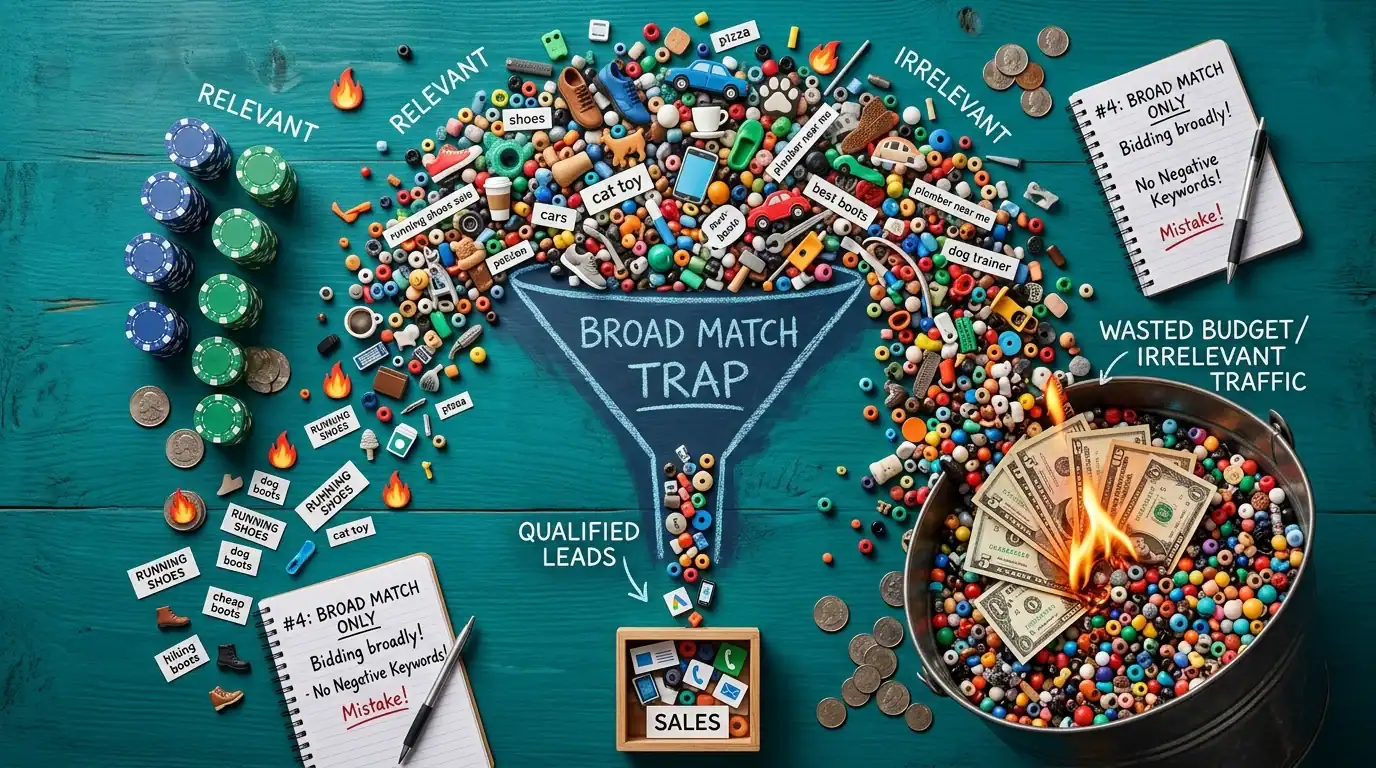
Broad match is Google’s default keyword matching type, and it’s the most dangerous for small budgets. Broad match keywords tell Google “show my ad for anything related to this.” Your ad for “web design” might show up for “web design course,” “web design salary,” “web design degree online,” “free web design templates,” and “web design internship.” That’s all wasted money.
Google expanded broad match significantly in recent years. It now matches to searches that Google’s AI thinks are “related” — even if they don’t contain any of your keywords. I’ve seen broad match for “plumber Orlando” trigger ads for “handyman services” and “HVAC repair.” Related? Technically. Relevant to a plumber? No.
The Fix: Use phrase match and exact match for your primary keywords, especially when you’re starting out or working with a limited budget.
- Exact match [keyword]: Your ad shows only for that specific search or very close variations. Most targeted, least reach
- Phrase match “keyword”: Your ad shows for searches that include your keyword phrase or close meanings. Good balance of targeting and reach
- Broad match keyword: Shows for anything Google considers related. Only use this with smart bidding strategies AND extensive negative keyword lists
Start with phrase and exact match. Get data on what converts. Then carefully expand to broad match for discovery — but only with a strong negative keyword list in place. This approach prevents the “budget drain” that kills most small business Google Ads accounts.
Mistake #5: Ignoring Quality Score
Quality Score is Google’s rating (1-10) of how relevant and useful your ads are to people searching. It directly affects two things: how much you pay per click and where your ad appears on the page.
A Quality Score of 3 means you’re paying roughly 3x more per click than a competitor with a Quality Score of 8 — for the exact same ad position. Let that sink in. You could be paying $15 per click for something your competitor pays $5 for, just because your Quality Score is lower.
The three components of Quality Score:
- Expected click-through rate: How likely people are to click your ad. Better ad copy = higher CTR = higher Quality Score
- Ad relevance: How closely your ad matches the search intent. If someone searches “emergency plumber” and your ad talks about “kitchen remodeling,” that’s low relevance
- Landing page experience: How useful and relevant your landing page is after someone clicks. Page speed, mobile-friendliness, and content match all matter
The Fix: Match your ad copy tightly to your keywords (use the keyword in your headline). Create dedicated landing pages that match your ad copy. Improve your landing page speed (under 3 seconds). Make sure your landing page is mobile-friendly. Include the searched keyword on your landing page. Add clear CTAs and relevant content. Improving Quality Score from 5 to 8 can reduce your cost per click by 30-40%.
Mistake #6: Set It and Forget It

Google Ads is not a crockpot. You can’t set up your campaigns, walk away, and come back in a month hoping for good results. The market changes daily. Your competitors are adjusting their bids and copy. Keyword performance shifts with seasons, trends, and algorithm updates.
I took over an account that hadn’t been touched in 4 months. The business owner was spending $2,500/month and getting progressively worse results. Why? Competitor bids had increased, some keywords had become irrelevant, ad copy hadn’t been refreshed (Google’s algorithm rewards fresh ads), and hundreds of irrelevant search terms had accumulated without being added as negatives.
The Fix: Review your account weekly. Here’s your weekly Google Ads maintenance checklist:
- Monday: Check search terms report. Add negative keywords for irrelevant searches
- Tuesday: Review keyword performance. Pause keywords with high spend and zero conversions
- Wednesday: Check ad copy performance. Pause low-CTR ads and test new variations
- Thursday: Review bid adjustments. Increase bids on high-converting keywords, decrease on low performers
- Friday: Check budget pacing. Are you running out of budget early in the day? Adjust if needed
At minimum, spend 30-60 minutes per week on optimization. If you can’t commit to that, hire someone. An unmanaged Google Ads account is a leaky faucet dripping money.
Mistake #7: Budget Too Small to Learn
This is the mistake nobody talks about. If you’re spreading $5/day across 20 different keywords, none of them get enough clicks to generate meaningful data. You can’t optimize what you can’t measure.
Google needs data to optimize. Its Smart Bidding algorithms need at least 30-50 conversions per month to work well. If you’re getting 2 conversions per month because your budget is spread too thin, the algorithm can’t learn. You’re stuck in a loop of bad performance because there’s not enough data to improve.
The Fix: Focus your budget on your top 5-10 keywords. Get at least 100 clicks per keyword before you decide it doesn’t work. Better to dominate 5 keywords than spread thin across 50.
If your budget is $1,000/month, that’s roughly $33/day. In a competitive market with $8 average CPC, that’s about 4 clicks per day. Split across 5 keywords, you get data. Split across 25, you get noise.
Start focused. Get data. Optimize. Then expand to more keywords as you can afford it. This “concentrate and expand” approach works far better than the “spray and pray” approach that most small businesses default to.
How I Audit Google Ads Accounts

When a client comes to me with a Google Ads account that’s not performing, I check these 7 things first. Nine times out of ten, fixing just 2-3 of them doubles their results without spending an additional dollar on ads.
The audit takes about 2 hours. I look at account structure, keyword match types, negative keywords, search terms, Quality Scores, landing pages, conversion tracking, and bid strategy. Most accounts have at least 3-4 of these 7 mistakes active at the same time.
As a Google Ads Certified agency, we handle the optimization so you don’t have to learn all this yourself. But if you’re managing your own account, fixing even one of these mistakes will save you real money this month.
The Cost of These Mistakes
Let me put some real numbers on this. A typical small business spending $2,000/month on Google Ads with 3-4 of these mistakes active is wasting 30-50% of their budget. That’s $600-$1,000/month in wasted spend. Over a year, that’s $7,200-$12,000 thrown away.
Fix the mistakes, and that $2,000/month starts generating 2x the leads at the same cost. Or you could get the same number of leads for $1,000/month and save $12,000/year. Either way, the ROI of fixing these problems is massive and immediate.
Frequently Asked Questions

How do I know if my Google Ads are working?
Track conversions. If your cost per conversion (cost per lead, cost per sale) is lower than your profit per customer, your ads are working. If you’re spending $100 per lead and each customer is worth $500 in profit, that’s a 5x return. If you’re spending $100 per lead and customers are worth $80, you’re losing money.
How much should I spend to test Google Ads?
At least $1,000-$2,000 over 30 days. Less than that won’t give you enough data to make real decisions. You need at least 200-300 clicks to understand which keywords convert and which don’t.
Should I manage Google Ads myself or hire someone?
If your budget is under $500/month, learning to manage it yourself is reasonable — the management cost would eat too much of your budget. Over $1,000/month, the cost of mistakes usually exceeds the cost of hiring a certified professional. At $2,000+/month, hiring someone is almost always the right call.
What’s a good Quality Score?
7-10 is good. You’re paying competitive rates and your ads are relevant. 4-6 needs work — you’re overpaying for clicks. Below 4 means your ads, keywords, and landing pages are fundamentally misaligned. Something is very wrong.
How often should I check my Google Ads account?
Weekly at minimum. Daily during the first 2 weeks of a new campaign when you need to catch bad search terms fast. Monthly reviews aren’t enough — too much waste accumulates between checks.
What’s the most common mistake you see?
Missing negative keywords and no conversion tracking, in that order. These two alone account for the majority of wasted spend in the accounts I audit. Fix these first and everything else becomes easier to optimize.
Can Google Ads work for any business?
Google Ads works best for businesses where people actively search for what you offer. Service businesses, professional services, e-commerce, and local businesses typically see the best ROI. If nobody is searching for your product or service, Google Ads won’t generate demand — it only captures existing demand.
Next Steps
Want a free audit of your Google Ads account? I’ll check for all 7 mistakes and tell you exactly what’s wasting money and what to fix first. Contact us or call (321) 300-4837.
Already know your ads need help? Check our Google Ads management services. We’re Google Ads Certified and we manage campaigns for businesses across Central Florida.
Want to understand the full cost picture? Read our Google Ads cost in Orlando guide and our PPC vs SEO comparison.
If this raised more questions than it answered, we’ve got answers to common Google Ads questions in our FAQ — covering everything from pricing and timelines to what results actually look like. You can also read verified client reviews from businesses we’ve helped across Orlando and Central Florida.