

Content Calendar Creation: How to Plan and Schedule Your Marketing Posts for Consistent Results
A content calendar is the difference between marketing that happens consistently and marketing that happens whenever you remember. I’ve worked with hundreds of small businesses in Orlando, and the ones that struggle most with content marketing all share the same problem: no plan. They post when they feel inspired, skip weeks when they’re busy, and wonder why their social media, blog, and email marketing aren’t generating leads.
A content calendar fixes all of that. It turns “I should post something” into “Tuesday at 9 AM, I publish this SEO article targeting this keyword, then share a snippet on LinkedIn at noon.” It transforms content marketing from a chore into a system — a repeatable process that drives results whether you feel creative that day or not.
Here’s how to create a content calendar that actually works for a small business.
From the auditor: Dennis Ocasio has delivered digital marketing for 200+ small businesses across Central Florida over 30+ years. Every recommendation here comes from tested, real-world client work — not theory.
What a Content Calendar Does for Your Business
A content calendar isn’t just a to-do list for social media. It’s a strategic planning tool that aligns every piece of content you create with your business goals:
- Consistency: The #1 factor in content marketing success. A calendar ensures you publish on schedule whether you’re feeling inspired or not. Consistency beats perfection — a decent post every week beats a brilliant post every quarter. Google rewards consistent publishing. Your audience expects it. Competitors who publish more consistently will outrank you
- Strategic alignment: Every piece of content serves a purpose. Each blog post targets a specific keyword. Each social post supports a service offering. Each email drives toward a conversion goal. Without a calendar, content becomes random acts of marketing
- Efficiency through batching: Write 4 blog posts in one focused session instead of scrambling to write one each week. Create a month of social posts in 2 hours instead of 15 minutes of panic every morning. Batching your creation saves 30-50% of total content time
- Cross-channel coordination: When your blog, social media, email, and paid ads all promote the same theme in the same week, the impact compounds. A blog post gets shared on social, referenced in an email, and supported by a retargeting ad — all working together because the calendar coordinated them
- Accountability and visibility: A calendar with deadlines creates commitment. “I should blog more” is vague and easily ignored. “The SEO post publishes Wednesday at 9 AM and I need the draft done by Monday” is specific and actionable. If you have a team, the calendar shows who’s responsible for what
How to Build Your Content Calendar in 5 Steps

Step 1: Audit What You Already Have
Before creating new content, take inventory of what exists. How many blog posts do you have? Which ones get traffic? Which social platforms are active and which are ghost towns? What email lists exist and when was the last send?
This audit tells you your starting point and reveals gaps. Maybe you have 20 blog posts but none about your most profitable service. Maybe your Facebook page is active but your LinkedIn is dormant despite serving B2B clients. Maybe you have 500 email subscribers you haven’t emailed in 6 months. These gaps become your first calendar priorities.
Step 2: Define Your Content Pillars
Content pillars are the 3-5 broad topics you’ll cover consistently. Every piece of content should fall under one of these pillars. This keeps your content focused and builds topical authority.
For a digital marketing agency like Ocasio Consulting, our pillars are: SEO & Local SEO, Web Design, Social Media Marketing, Google Ads & PPC, Content Marketing & Branding. Every blog post, social post, and email we create supports one of these six topics.
Examples for other business types:
- Landscaping company: Lawn maintenance tips, Design inspiration, Seasonal guides, Project showcases, Customer stories
- Law firm: Practice area education, Client rights, Legal news analysis, Case results, Community involvement
- Restaurant: Behind-the-scenes, Menu highlights, Events, Team spotlights, Local food culture
- Fitness studio: Workout tips, Nutrition advice, Member transformations, Class schedules, Wellness education
Your pillars should align with your services AND your customers’ interests. The overlap between what you sell and what they want to learn about is where your best content lives.
Step 3: Choose Your Channels and Publishing Frequency
Don’t try to be everywhere at once. Pick the channels where your customers actually spend time and commit to a sustainable frequency on each.
My recommended starting point for small businesses:
- Blog: 2-4 posts per month. Each 1,800+ words for SEO value. Target one keyword per post. This is your content foundation — everything else builds on your blog
- Email newsletter: 2 per month. Repurpose blog content into email-friendly summaries. Include one CTA per email
- Primary social platform: 3-5 posts per week. Choose the platform where your audience is most active — Facebook for local consumers, LinkedIn for B2B, Instagram for visual brands
- Secondary social platform: 2-3 posts per week if bandwidth allows. Repurpose content from your primary platform
Critical rule: Start with what you can sustain for 12 months. 2 blog posts and 3 social posts per week, done consistently every week for a year, will generate more results than an ambitious 5-channel strategy that collapses after 6 weeks. Consistency always beats ambition.
Step 4: Plan Topics 4-12 Weeks Ahead
This is where the calendar takes shape. For each content piece, document:
- Publish date and time: When does it go live? Which day, which time?
- Content type: Blog post, social post, email, video, infographic?
- Topic and working title: What is this piece about?
- Target keyword: What search term is this blog post optimized for? (For blog content)
- Content pillar: Which of your pillars does this support?
- Funnel stage: Top of funnel (awareness), middle (consideration), or bottom (decision)?
- Platform: Blog, Facebook, Instagram, LinkedIn, email, YouTube?
- Status: Planned → In Progress → Ready to Publish → Published
- Owner: Who’s responsible for creating it?
Planning 4 weeks ahead is the minimum to avoid the “what do I post today?” panic. 8-12 weeks ahead gives you a real strategic advantage: you can build topical clusters (multiple posts supporting the same theme), coordinate cross-channel campaigns, and batch your creation time efficiently.
We built Ocasio Consulting‘s entire 12-week content calendar following this exact framework — 36 blog posts mapped across 6 topical clusters, with each post targeting a specific keyword, serving a specific funnel stage, and linking to our service pages. That’s the level of planning that builds topical authority and drives organic leads.
Step 5: Batch Create and Schedule in Advance
Set aside dedicated time for content creation. Don’t write one post at a time throughout the week — batch your creation into focused sessions.
Many business owners find it effective to spend one full day per month (or two half-days) creating all their content for the following 4 weeks. Write all blog posts in one sitting. Create all social posts in another sitting. Draft email newsletters in a third. Then schedule everything to publish automatically.
Scheduling tools that handle this:
- WordPress: Built-in scheduled publishing. Set any post to publish at a future date and time
- Buffer or Hootsuite: Schedule social media posts across all platforms from one dashboard. Queue content weeks in advance
- Mailchimp or HubSpot: Schedule email campaigns and automated sequences in advance
- Trello, Asana, or Notion: Project management tools that work great as editorial calendars for tracking content status and deadlines
Scheduling removes the daily “what should I post?” stress and ensures content goes out on time whether you’re busy, traveling, on vacation, or having a terrible week.
Content Calendar Templates by Business Type
Service Business Weekly Template
Monday: How-to tip or educational post (builds authority). Wednesday: Customer testimonial, before-and-after, or case study (builds trust). Friday: Behind-the-scenes or team spotlight (builds connection). Monthly blog: In-depth answer to a common customer question (drives SEO traffic).
Professional Services Weekly Template
Monday: Industry insight or news commentary (shows expertise). Wednesday: Educational content — tip, checklist, or guide (provides value). Friday: Client success story or case study (proves results). Bi-weekly blog: Comprehensive guide on a practice area topic (drives organic traffic and demonstrates authority).
E-Commerce Weekly Template
Monday: New product spotlight or restocked favorites. Wednesday: Customer photo, review, or unboxing. Friday: Sale, promotion, or limited-time offer. Weekend: Lifestyle content showing products in use. Monthly blog: Buying guide or product comparison (drives organic product discovery).
How to Repurpose Content Across Your Calendar
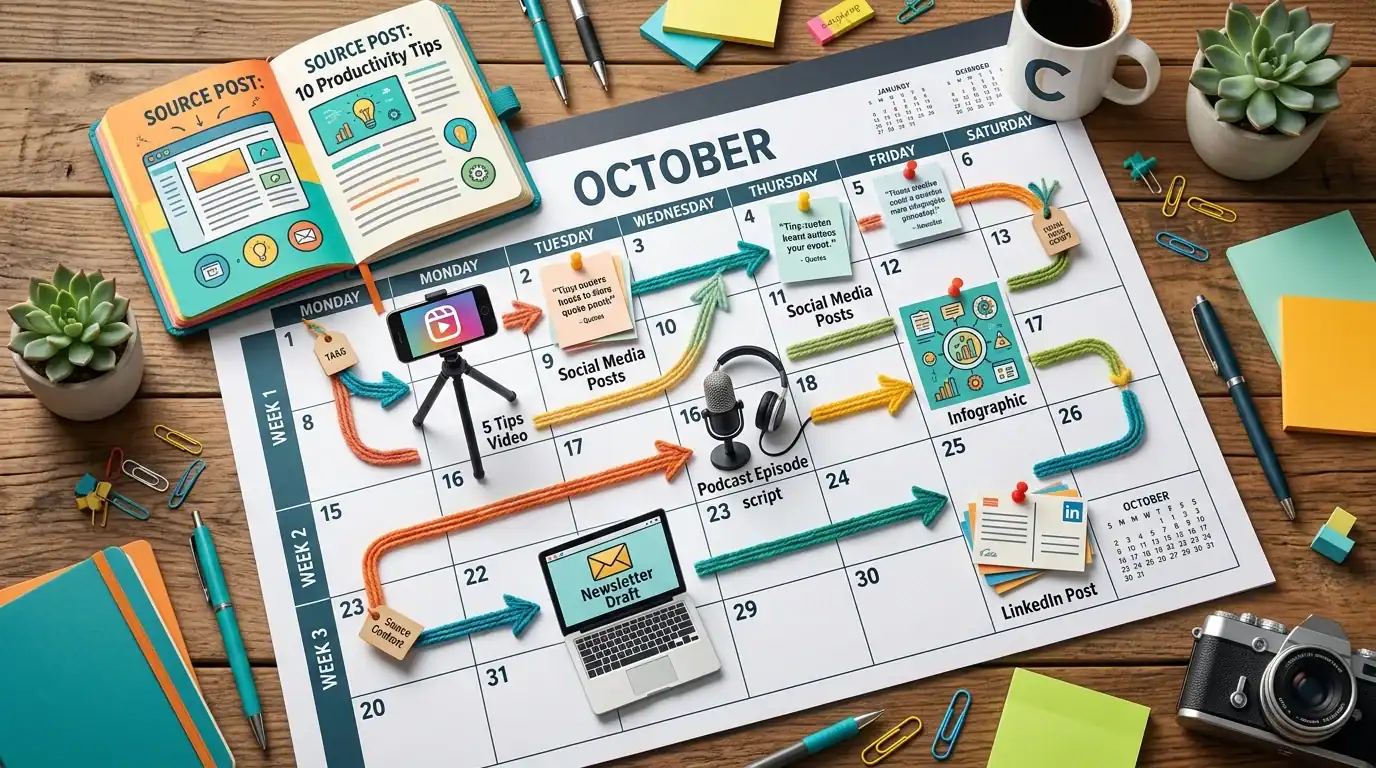
One blog post should feed your entire week of content. Here’s how a single 2,000-word article becomes 10+ pieces of content:
- Monday: Blog post publishes on your website
- Tuesday: Pull 3 key quotes or tips for an Instagram carousel
- Wednesday: Write a LinkedIn text post summarizing the main insight with your personal take
- Thursday: Share the blog link on Facebook with an engaging question to drive comments
- Friday: Create a 30-60 second video discussing the topic’s #1 takeaway (Reels/TikTok/Shorts)
- Following week: Include the article as the featured content in your email newsletter
- Ongoing: Save key statistics for future infographics, quote graphics, and slide decks
This repurposing approach means you create original, in-depth content once and distribute it everywhere — maximum impact from minimum original production. See our content strategy framework for the full repurposing system.
Common Content Calendar Mistakes
- Planning too much: An ambitious calendar you can’t maintain is worse than a modest one you follow every week. Start with 2 blog posts and 3 social posts per week. Scale up only after you’ve proven you can sustain the baseline for 3+ months
- All promotion, no value: If every post is “Buy our stuff!” or “Call us today!” people tune out fast. Follow the 80/20 rule: 80% valuable, educational, or entertaining content. 20% direct promotion. Give value first, sell second
- No variety in content types: Posting the same format every day (static image with text) gets boring. Mix it up: text posts, images, carousels, videos, polls, stories, live sessions. Different formats keep your audience interested and perform differently in algorithms
- Ignoring analytics: Publishing without checking what works is like driving with your eyes closed. Review performance monthly. Which posts got the most engagement? Which blog posts drove the most traffic? Which emails got the best open rates? Do more of what works. Stop doing what doesn’t
- No flexibility for timely content: A rigid calendar that can’t accommodate breaking industry news, trending topics, or unexpected customer wins misses opportunities. Leave 20% of your calendar flexible for reactive, timely content
- Not connecting content to business goals: Every piece of content should connect to a measurable business outcome: traffic, leads, sales, reviews, or brand awareness. If a content type doesn’t connect to any goal after 3 months, cut it and try something else
Frequently Asked Questions
How far ahead should I plan my content?
4 weeks minimum to avoid scrambling. 8-12 weeks is ideal for strategic planning, topical cluster building, and campaign coordination. Leave 20% of slots open for timely or reactive content you can’t predict.
What tools do I need for a content calendar?
Start with a Google Sheets spreadsheet — free, shareable, and sufficient for most small businesses. As you scale, consider: Trello (free tier, visual board layout), Asana (free tier, task-based), CoSchedule ($29+/month, built specifically for content calendars), or HubSpot (includes content planning in their marketing suite). The tool matters less than the habit of using it.
What if I run out of content ideas?
You won’t if you start with customer questions — every question a customer asks you is a blog post or social post. But if you feel stuck: repurpose old content with a fresh angle, interview a client or team member, react to industry news, share a lesson you learned recently, create a “myth vs reality” post, or revisit a popular old post with updated information. See our keyword research guide for systematic topic ideation.
Should I schedule content or post manually?
Schedule everything you can. Blog posts in WordPress. Social media through Buffer or Hootsuite. Emails through your email platform. Manual posting leads to inconsistency because busy days mean missed posts. Scheduled posting leads to reliability — content goes out whether you’re working, traveling, or sick.
How do I know if my content calendar is working?
Track monthly: organic traffic growth (Google Analytics), keyword ranking improvements (Google Search Console), leads from content (conversion tracking), social media engagement rates, and email open/click rates. If these metrics are growing month over month, your calendar is working. If they’re flat after 3-6 months, your strategy needs adjustment — not your calendar tool.
Your Content Calendar Action Plan
- This week: Create a Google Sheet with columns: Date, Type, Topic, Keyword, Pillar, Channel, Status, Owner
- Next week: Fill in 4 weeks of content. 2 blog posts per week, 3-5 social posts per week, 2 emails per month. Use your customer questions as blog topics
- Week 3: Batch-create as much of the first month’s content as possible. Write blog posts, draft social posts, prepare email drafts
- Week 4: Schedule everything. Set blog posts to auto-publish. Queue social posts in Buffer/Hootsuite. Schedule emails in your platform
- Monthly: Review performance. Plan the next 4 weeks. Repurpose top-performing content. Adjust based on data
Next Steps

Want help building and executing your content calendar? Our content marketing services include strategy development, calendar planning, content creation, optimization, and performance tracking. We also manage social media if you want the entire content system handled for you.
Schedule a free consultation or call (321) 300-4837.
Read more: Blogging for Business | Content Marketing ROI | Social Media ROI
If this raised more questions than it answered, we’ve got answers to common Content Marketing questions in our FAQ — covering everything from pricing and timelines to what results actually look like. You can also read verified client reviews from businesses we’ve helped across Orlando and Central Florida.
Every social media link you share should be tracked — grab my free UTM builder to build those tags fast.
Every link you share on social media should have UTM tracking attached. Grab my free UTM builder tool and set it up in under a minute.